 CodeCogs®
:: Table of Contents
Plugins
OverviewHTML editors
CKEditor 5 CKEditor 4 TinyMCE 6 and 7 TinyMCE 4 Froala Tiptap AngularCMS and LMS
WordPress Moodle Canvas, Blackboard and LTI BloggerOther
Google Docs and Slides TiddlyWikiDevelopers
Writing your own Equations in Blogger
Blogger has no plugin system, but it does let you add a script to every page of your blog.
Add fxTeX there once, and any LaTeX you write
in a post between $…$ or $$…$$ is shown as a properly
typeset equation — free, with no licence key.
To add it:
- Log in to Blogger: https://www.blogger.com
- Choose Layout from the dropdown menu under More Options:

- In Manage Blogs, select Design:
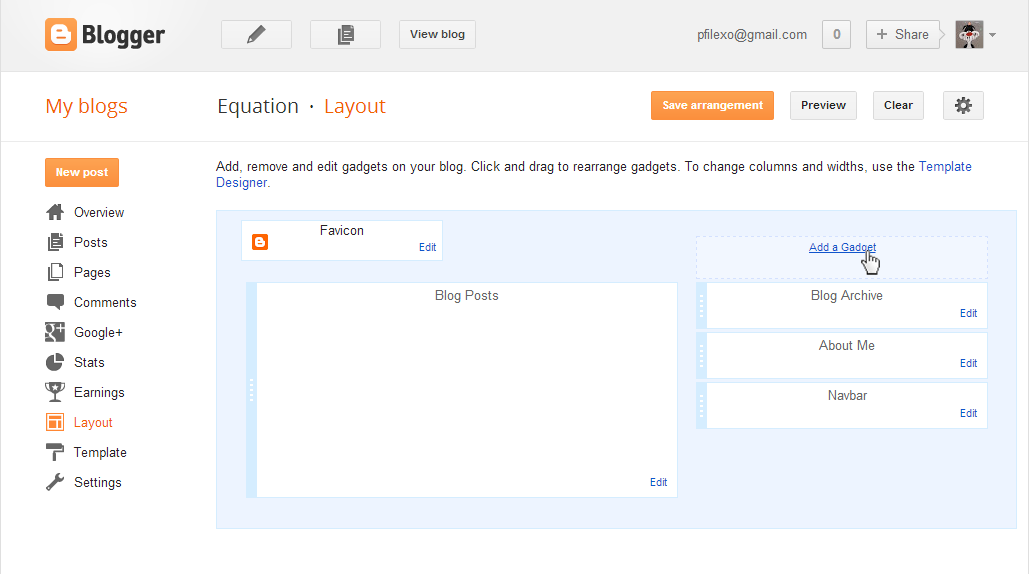
- On the right, click Add a Gadget:
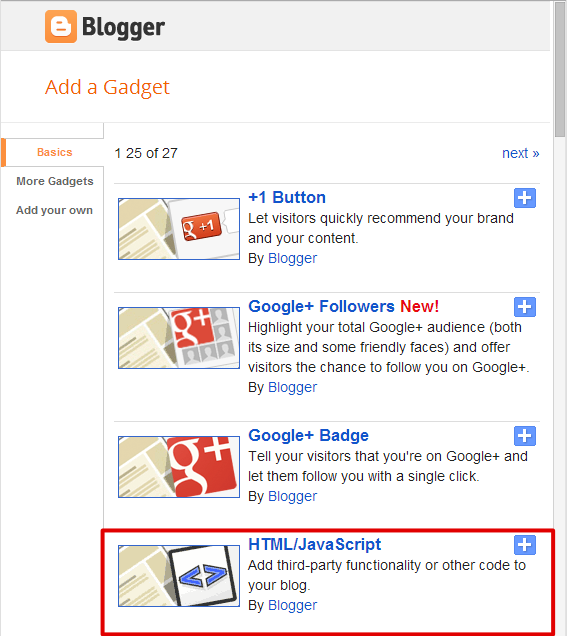
- Scroll down and select HTML/JavaScript:
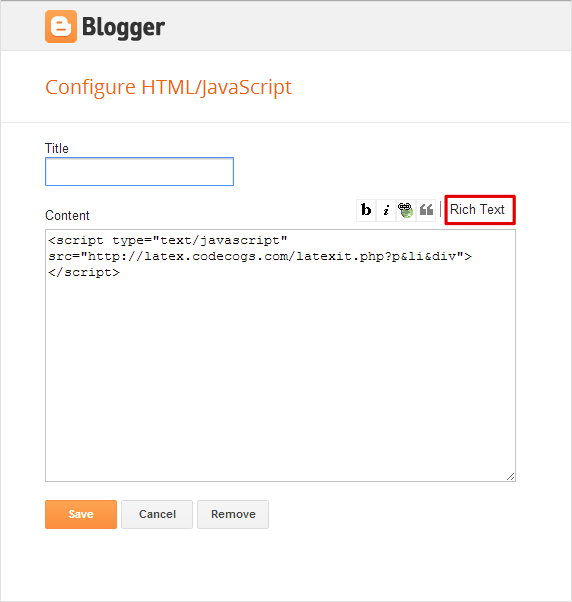
- Switch to Edit HTML mode. The Rich Text link in the upper-right corner indicates that you are editing HTML. Paste the following code into Content:
<script src="https://fxtex.codecogs.com/fxtex.min.js"></script> <script>fxTeX.autoRender();</script> - Select Save and close the gadget editor.
Then write equations straight into your posts, for example $e^{i\pi}+1=0$.
Readers can right-click any equation to copy it or open it as a graph — see the
right-click menu. To write equations with a toolbar rather
than by hand, compose them in the online fxEditor and copy the LaTeX across.